A WhatsApp queue system for clinics: the four features that do the work
A WhatsApp queue system for clinics is four things working together: a way for patients to get a token without installing anything, an assistant that answers them in their own language, a receptionist screen that runs the day, and a display that tells the waiting room who is next. These pages describe each one on its own so you can see exactly what it does and what it deliberately does not.
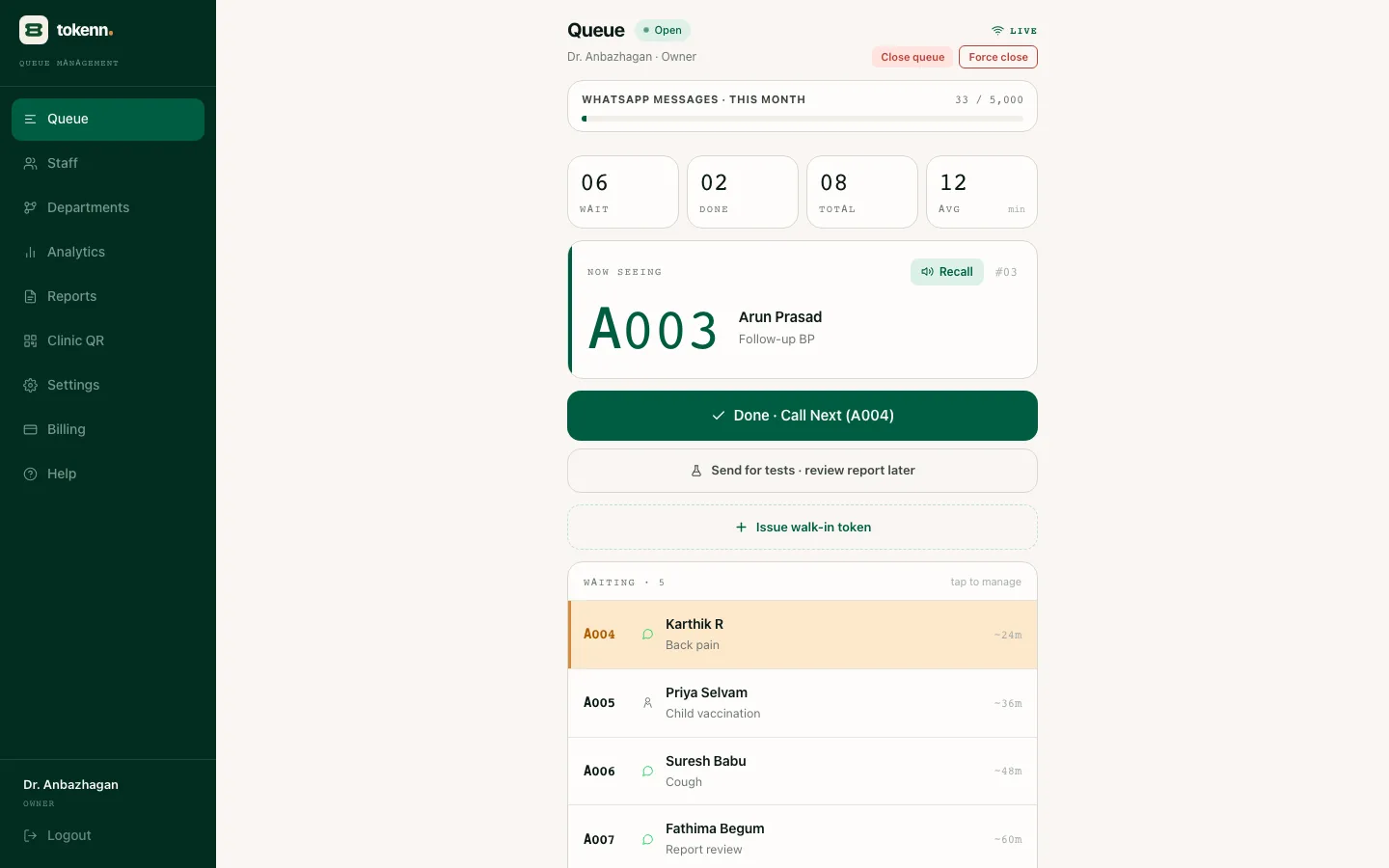
The four features
One page per feature: what it does, how patients experience it, and where its limits are.
- WhatsApp Token Booking for Clinics, No App
WhatsApp token booking for clinics: patients scan a QR or send a message and get a token, a live wait, a two-ahead reminder and a your-turn alert. ₹1 a token. - WhatsApp Chatbot for Clinics in Tamil & Hindi
WhatsApp chatbot for clinics in Tamil, Hindi, Tanglish and English: issues tokens, answers status, handles cancellations, never diagnoses. ₹1 per patient. - AI Receptionist for Clinics on WhatsApp, ₹1/patient
AI receptionist for clinics on WhatsApp, not phone calls: issues tokens, answers queue questions and sends reminders in Tamil, Hindi and English. ₹1 a token. - Token display on any Android TV, no hardware
Open the waiting-room display board on any Android TV or tablet in three ways: cast from a phone, type the URL in the TV browser, or install a browser app. No kiosk, no board, no AMC.
What is deliberately missing
No patient app
An install step is where most clinic queue software features go to die.
No kiosk or LED board
A TV you already own and the phone in the patient's pocket already do that job.
No EMR integration
A queue does not need the medical record, and the record does not need the queue.
One morning to set up
Those three are design decisions rather than gaps, and they are why setup is not a project.
What is left is four features that a front desk uses every day. The pricing page shows what they cost, and the solutions hub shows how they fit different kinds of clinic.
How the pieces fit
Booking comes first. A patient scans the QR at your door or on your Google listing, or simply messages the clinic's WhatsApp number, and a token comes back in a few seconds with an estimated wait and a time to arrive. The chatbot behind that reply reads Tamil script, Hindi, Telugu, Kannada, Malayalam, and the mixed Tanglish and Hinglish people actually type. It books, checks status and cancels, and it hands anything medical to reception rather than guessing.
The AI receptionist is the same assistant seen from the desk: it takes the repetitive calls off the phone so a person can look up. And the display is the part patients see when they arrive: the token being seen, the next few, and a voice that calls each number on the TV you already own.
Clinic front desk automation without a call centre
Between nine and eleven the clinic phone rings with one question in three languages: how long is the wait. Clinic front desk automation, done properly, means that question is answered on WhatsApp before it becomes a call. The two-ahead reminder goes out when the queue moves, not on a timer, so if a consult runs long the patient simply hears from you later and arrives later. The your-turn message follows, and the TV announces the number at the same moment.
None of that replaces the receptionist. An older patient without a smartphone still walks up like always and gets a token in two taps, into the same queue as everyone else. The automation takes the repetitive part, not the person.
What it costs
All four features come with every token. There is one price, ₹1 per patient, with WhatsApp messages included, whether the clinic is a solo GP or a multi-doctor OPD. The pricing page has the full breakdown, and the solutions hub shows how the same features fit different kinds of clinic.
None of the four needs the others to be switched on. A clinic can run WhatsApp token booking alone for a week, add the TV display when the room is ready, and leave the chatbot to answer status questions in whichever language patients write in. The receptionist role is simply what the assistant looks like from the patient side.
The clinic queue software features that actually get used
Most clinic queue software features exist to fill a comparison table. Ours is a short list because a small clinic only has room for what it will use every morning: issue a number, tell the patient when to come, call them in, and let reception override any of it in one tap. Everything on these four pages exists to serve one of those, and anything that did not has been left out.
The test we apply is whether a feature survives the second week. A receptionist will use the walk-in button forty times a morning and the analytics screen once a month, so the walk-in button is two taps from anywhere and the analytics live behind a menu. A patient will read the token message every visit and open a settings screen never, so there is no patient settings screen. Features that need a training session to be useful do not get built.
It also means the four work independently. A clinic can run token booking for a fortnight before it puts anything on the TV, add the display when the room is ready, and never touch departments until a second doctor arrives. Nothing here is a bundle you have to adopt whole.
See all four on a real queue
A live demo on WhatsApp takes five minutes. Or start the seven-day trial and try them on your own clinic.